Made in Nepal · +977 numbers first

Chat, call, and send voice notes the WhatsApp way.

Gufchat is realtime messaging for friends and family. Gmail + Nepal phone + password, then find people by the number you already have. Photos, stories, groups, and HD calls live in one glowing dark UI.

Web, iPhone, and Android. Same account on all of them.

9:41100%
Gufchat
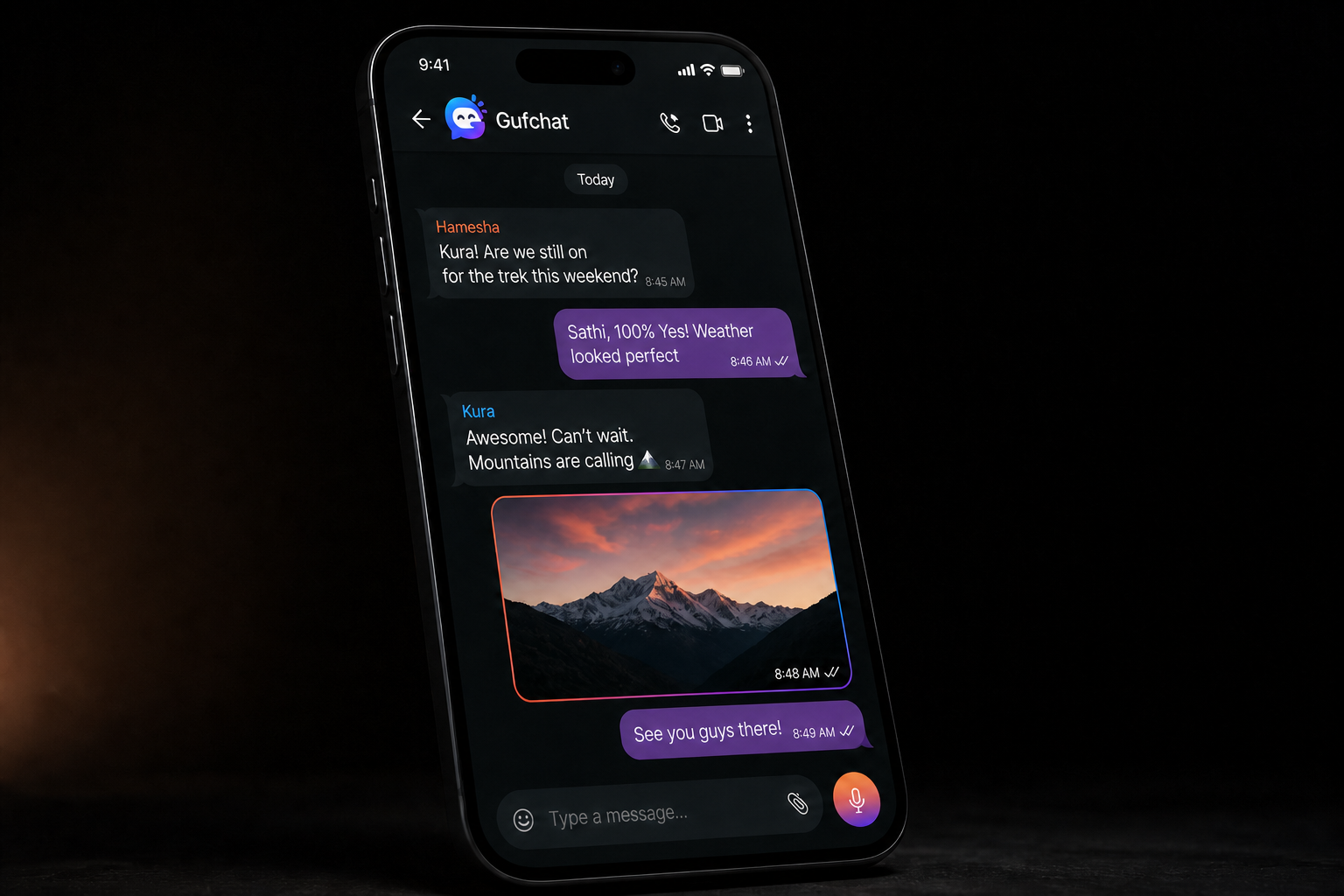
Anisha
k xa? school paxi coffee?
aauchhu 4 baje. New Road tira milam.
thik. photo patha hai location ko
pathaissake. call garna milcha if late bhayo
Anisha is typing…
Message

+977

Nepal numbers are the default. Friends search the same digits they already have in their phone.

Gmail + phone

Create an account with Gmail, your Nepal number, and a password. Forgot password sends a code to that Gmail.

One account

Open it in the browser or on the phone app. Chats, calls, and photos stay with you.

Everything inside Gufchat

More than messages. A full messenger.

Voice notes, HD calls, stories, groups, photos, and Nepal-first numbers — built to feel familiar the first time you open it.

💬

Instant chat

Messages land the moment they are sent.

🎤

Voice notes

Hold the green mic, talk, release to send.

📹

Video calls

Full-screen camera with a small self-view.

📞

Voice calls

Ring a friend without leaving the chat.

📷

Photos & video

Camera or gallery. Tap to open full screen.

✨

Stories

Share a moment that fades.

👥

Groups

One named thread for the whole circle.

📱

Find by number

Search the Nepal number you already saved.

🟢

Online & last seen

Know who is around right now.

⌨️

Typing live

See typing while they write.

🔐

Gmail + password

Reset codes go only to that Gmail.

💻

Web + phone

Laptop and iPhone. Same account.

Chats

Private threads, groups, and the boring useful stuff.

Messages show up as they are sent. You can see who is online, when they were last around, and when someone is typing. Unread counts sit on the chat list so you do not have to guess.

Gufchat conversation
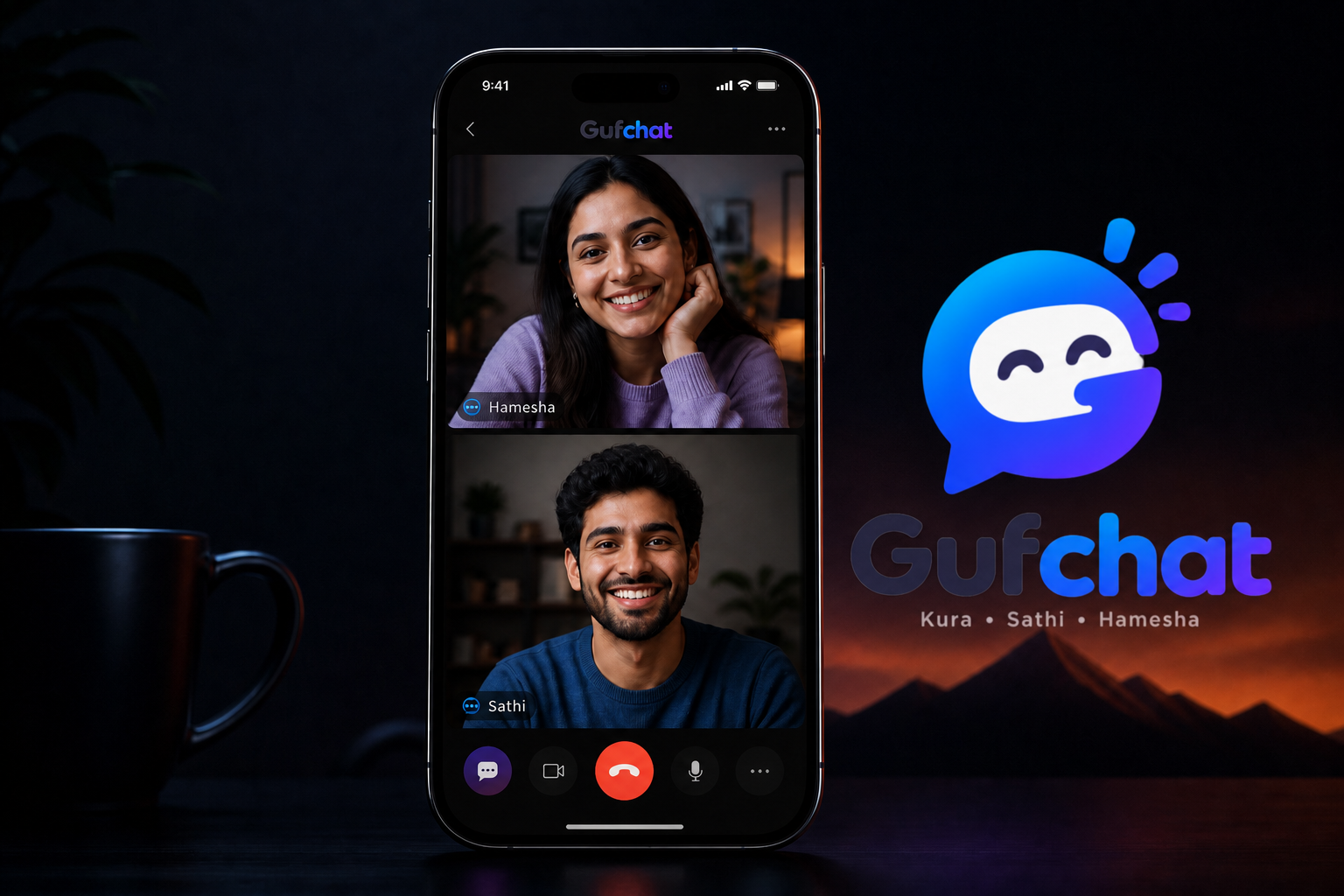
Gufchat call

Voice and video

Ring someone without leaving the chat.

Audio and video calls use the camera and microphone on your device. While it rings, you stay on the call screen. If they do not pick up after a few minutes, Gufchat tells you they did not receive it.

On video, your camera is full screen until they join. Then they take the main view and you sit in the small corner — the way a normal phone call works.
People

Add friends with a number you already know.

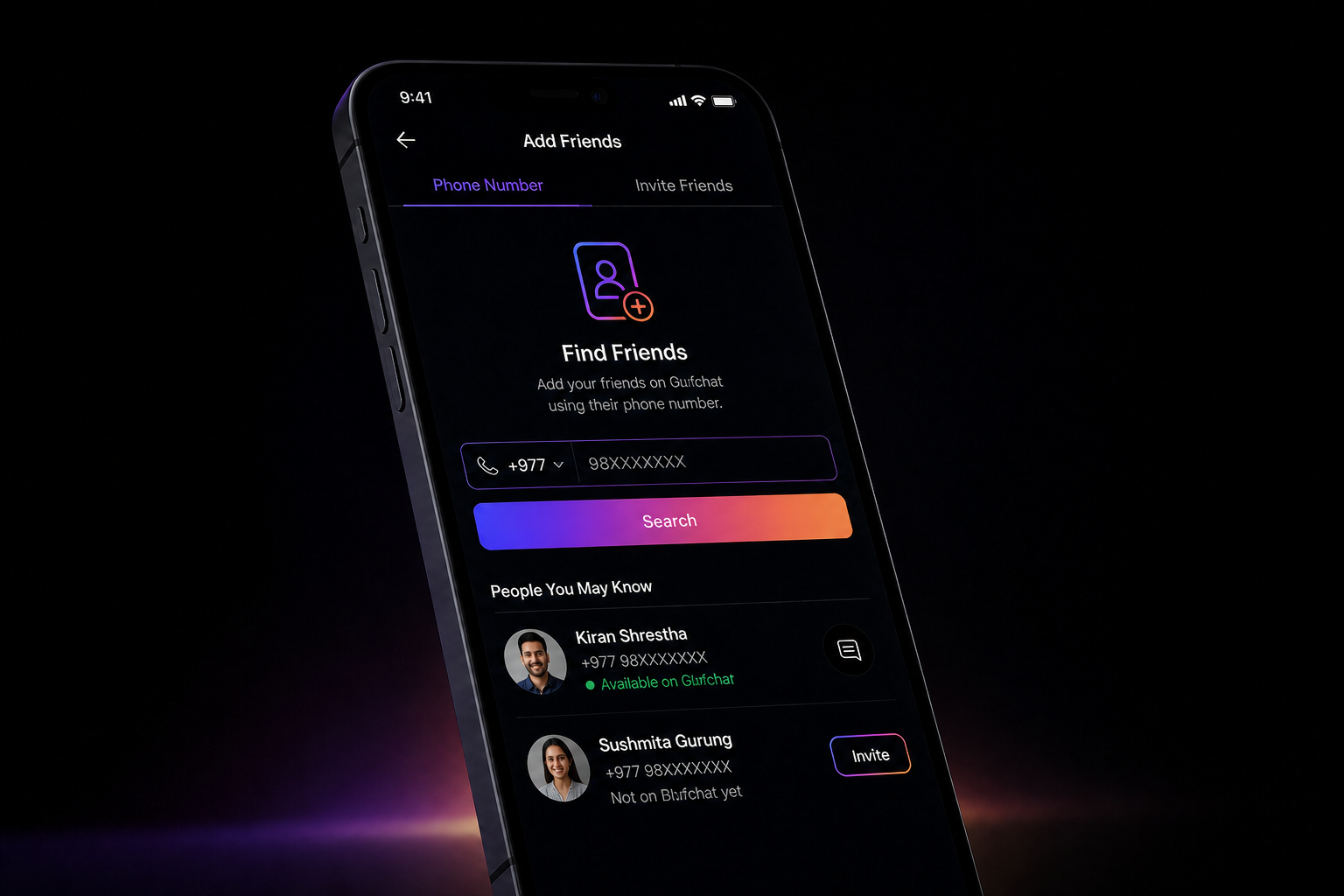
Type a mobile number. If that person already made a Gufchat account, they show as available and you can start a chat. If they have not joined yet, send an invite to the same number.

Available

They are already here

The number matches an account. Add them, open a private chat, or start a call. No extra username hunt.

Invite

They are not on Gufchat yet

Share an invite from the app. When they sign in with that same number, you can add them properly.

Add friends by number

Photos, video, files

Send a picture from camera or gallery.

JPEG, PNG, HEIC, and the rest of the usual phone formats are fine. Profile photos and cover photos use the same upload. Media is stored on this server, next to the chats.

Web and phone

Keep talking if you switch devices.

The website and the Expo app share the same login. Start a chat on your laptop, pick it up on your phone. Calls work on both, with the camera on the device you are holding.

From a blank screen to a real chat

Four short steps. Gmail, phone, and password are required. After that you stay in chat until you log out.

01

Create an account

Name, Gmail, Nepal phone, password, and confirm password. We email you a welcome note.

02

Or continue with Google

Still add your phone and a password before chat. Forgot password sends an OTP to Gmail.

03

Sign in the same way

Gmail, phone, and password together. That keeps the account yours.

04

Add someone

Search a number. Chat, send a photo, or ring them.

Create a Gufchat account

Why this exists

Gufchat is realtime chat for friends and family. Find each other by phone number, talk instantly, share photos and videos stored on this server, and start an audio or video call when typing is not enough.

A lot of chat products want a username, an email, and a feed. This one is smaller on purpose. If you know someone’s number, you should be able to reach them here — the same way you would tap their name in your phone book.

The owner runs the server. That means branding, registration, media, and calls can be turned from the dashboard. It also means photos are not dumped into a mystery bucket you cannot name.

Get Gufchat

Download now. Talk tonight.

Grab it on the App Store or Google Play, or open the same account in your browser.

Questions people actually ask

Do I need an email?

Yes. Registration needs a Gmail address, a Nepal phone number, and a password. Sign-in uses all three. Forgot password sends a code to that Gmail.

Is this WhatsApp?

No. It is a separate app with its own chats. The habit is similar: number, message, call.

Can I use it on two phones?

Chats follow the account. Stay signed in until you log out. Signing in again on another device replaces the previous session.

What if they are not on Gufchat?

Search the number anyway. If there is no account, send an invite from that screen.

Who do I call if something breaks?

The owner, Bigyan Rijal. Number and Gmail are at the bottom of this page.

Owner

Talk to Bigyan Rijal

If the app misbehaves, or you want it for a school, shop, or family group, write or call. A person answers this, not a ticket bot.